When the flight changes, stay informed. PRO
Flight updates and alerts for changes to times and gates, subject to available flight data.
Turn booking emails into a trip you can follow. Plan routes, organize documents and track expenses. Switch easily between your next adventure, your current trip and past journeys, all in one place.
Start with Traveler, for freeAndroid coming soon
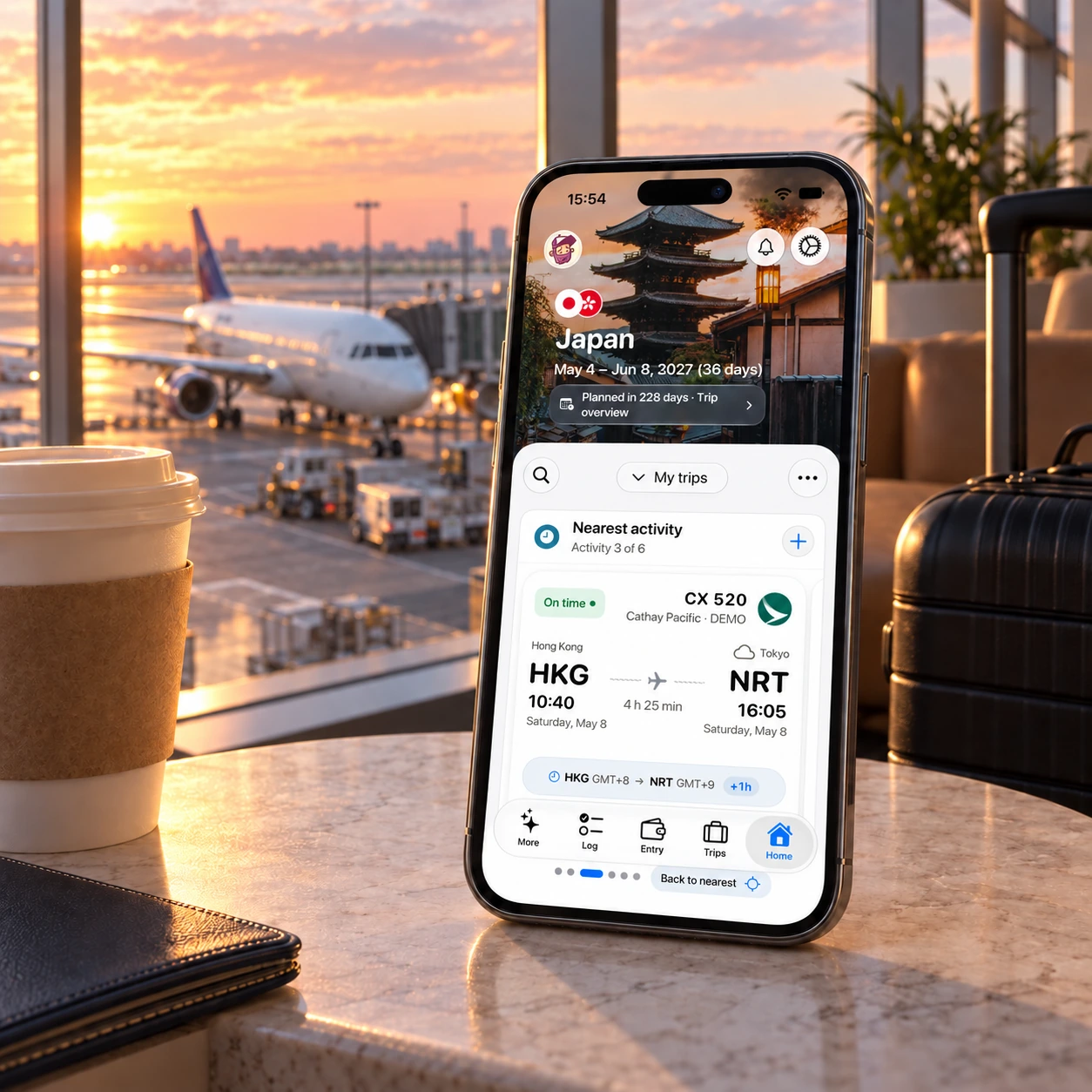
From your first plan to your last expense. Browse the screens and tap to explore.
A flight, a hotel, an experience. Send it to TripWallet, check the details and add it to your trip. Your bookings become a plan you can travel with.
Only the bookings and documents you choose to send are processed, without scanning your inbox. Detail extraction may use text recognition and AI. Privacy
We look forward to welcoming you to Bangkok. Your stay details are attached.
Build your trip day by day. Connect places, time at each stop and overnight stays, and see it all come together on the map. Plans can change along the way.
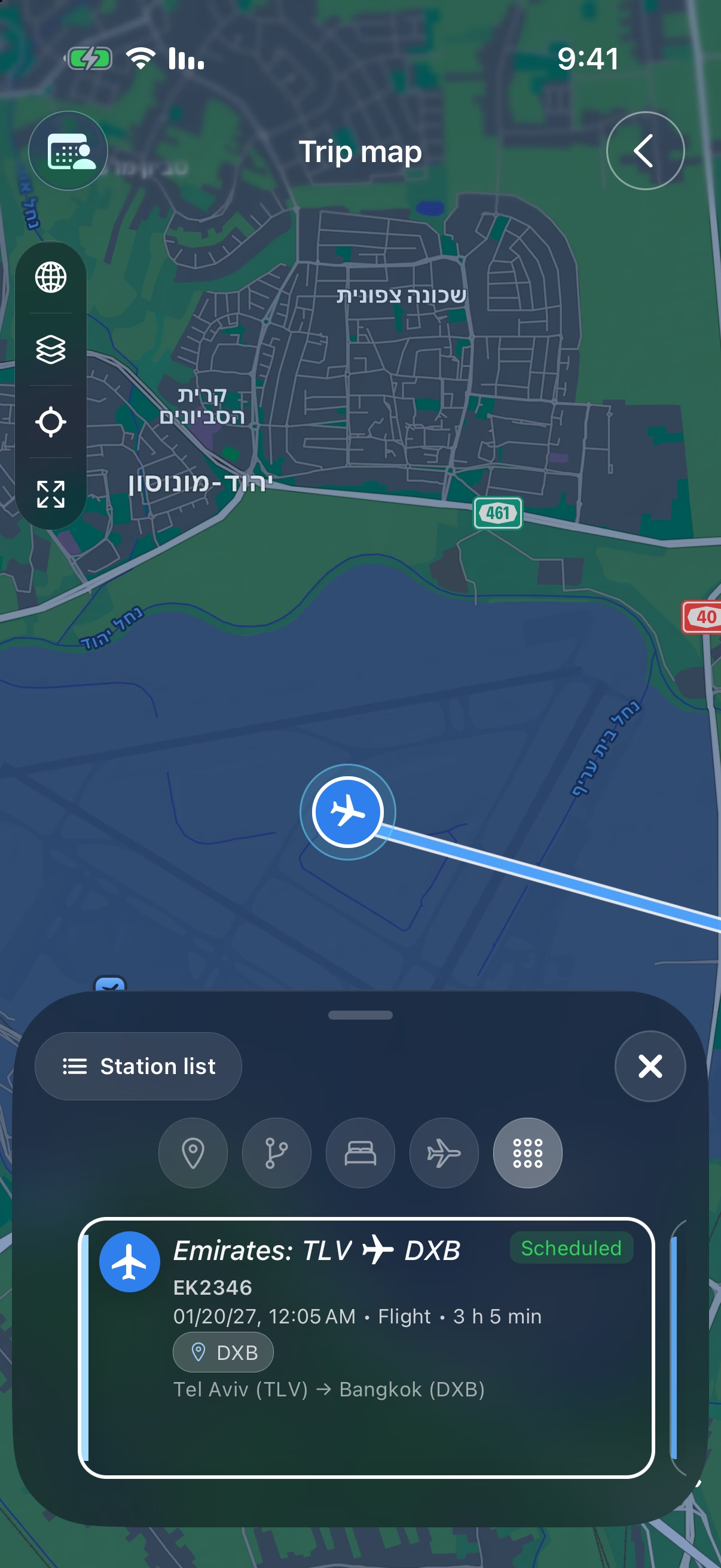
See flights, layovers, stays and activities together on a clear timeline, including flight durations and time differences. Explore your places and routes on the trip map and open activities for details.
Thursday, September 17, 2026
Start at Sapa’s stone church
Continue to Mường Hoa valley
Stop at the village viewpoint
Visit Lao Chải village
Continue to Ta Van village
Your overnight stay
 Ha Long Bay, Vietnam
Discover places near your hotel or a trip stop with AI recommendations tailored to your interests. Add your favorites to your itinerary. Get a short destination brief with experiences and practical tips, and save it with your trip documents for later.
Explore the planning tools Bangkok, Thailand
Your trip details stay close, even when you're on the move. From the next activity to the document you need right now.
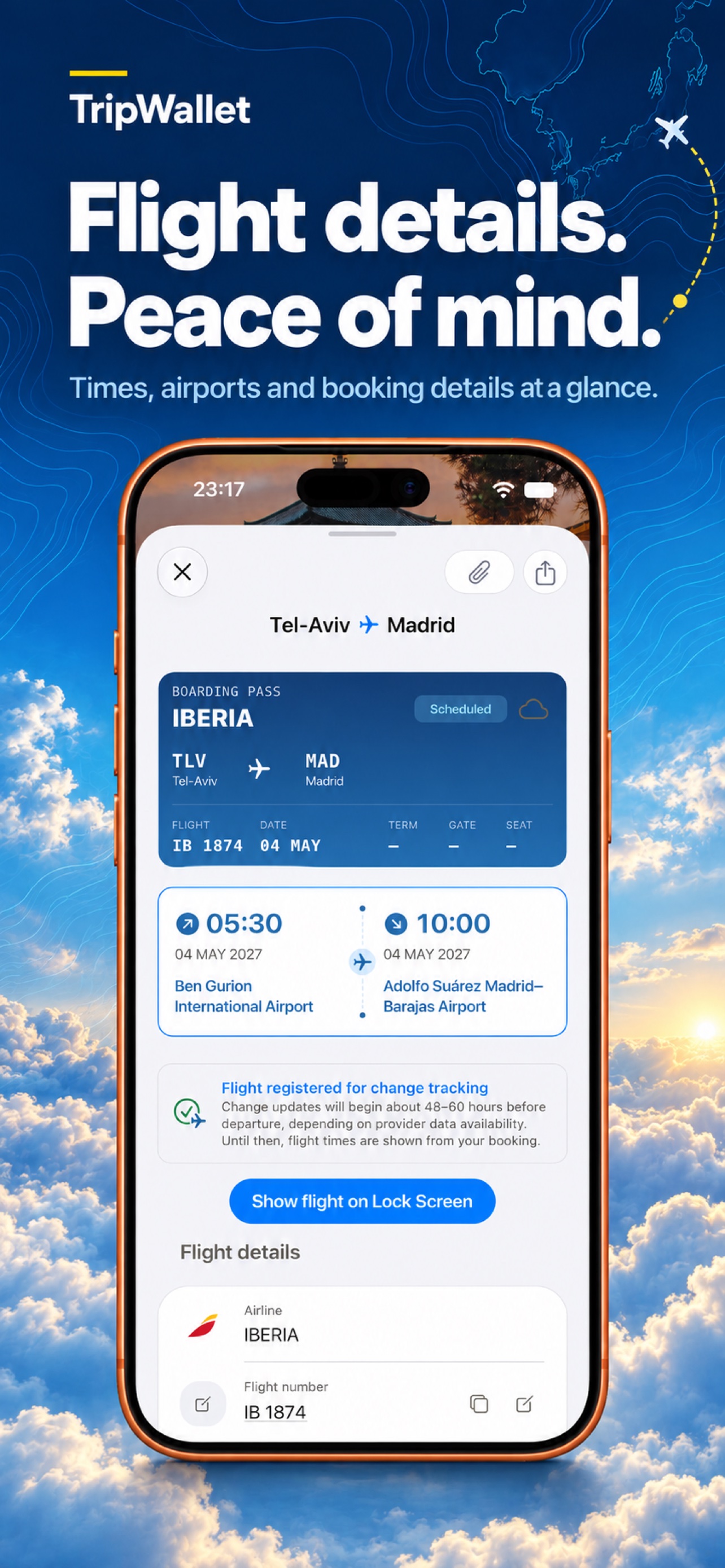
Flight updates and alerts for changes to times and gates, subject to available flight data.
Live Activities and widgets bring trip information closer, without searching through screens.
Subscribe to your trip calendar to see activities in your preferred calendar app.
Keep bookings, files and links with the trip they belong to, ready when you need them.
Your passport, insurance and visa stay in a protected area on your device, separate from trip documents.
Invite family and friends to follow your trip or help edit the plan. Keep shared expenses clear too: who paid, who owes whom and how to settle up.
There’s no need to pay each other back after every expense. TripWallet keeps a running balance throughout the trip, so you only settle what remains at the end.
For example: Sahar paid for the hotel room, Romi covered Sahar’s LOOP tour in Vietnam, and Dean bought the train tickets. Instead of sending money after every payment, everything goes into one calculation. At the end, you can see exactly who needs to pay whom and how much.

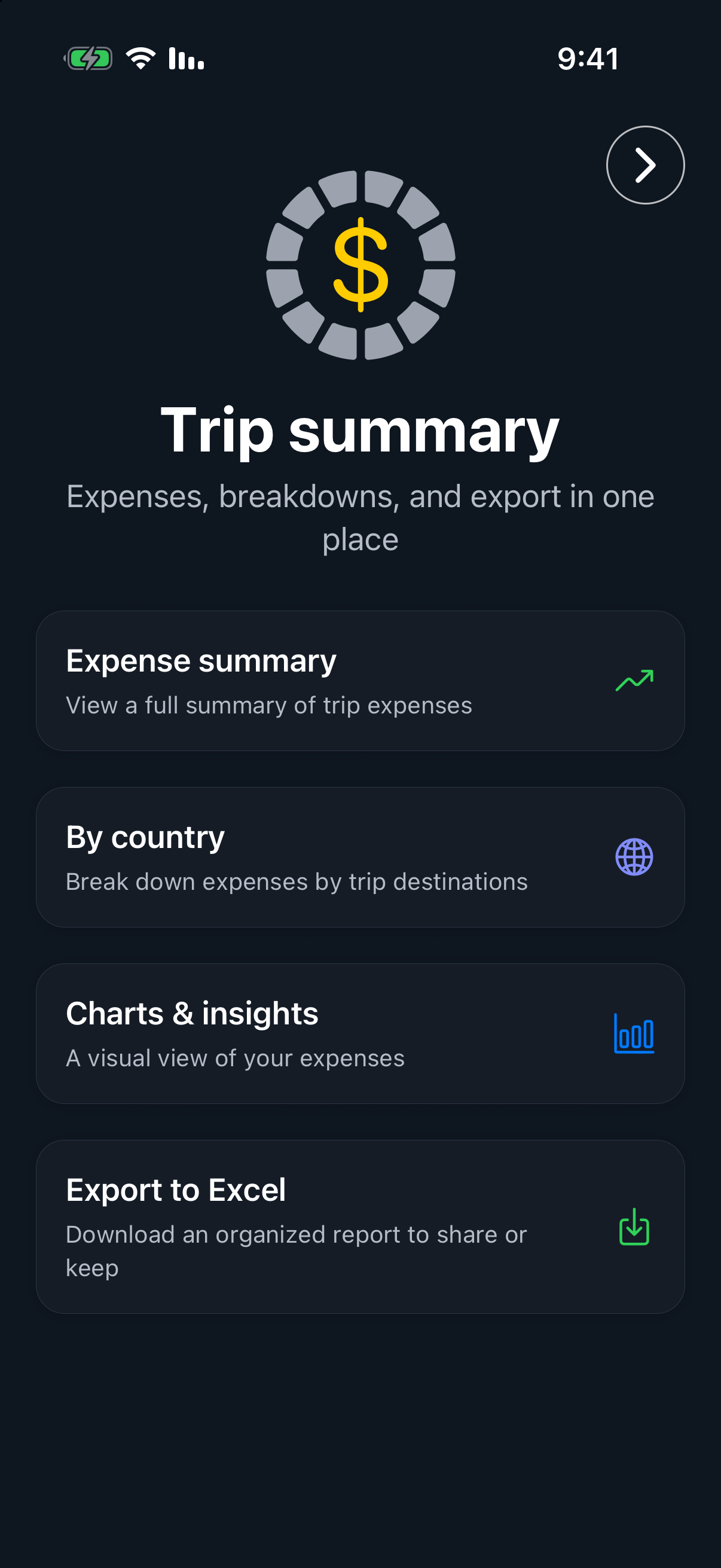
Track expenses or manage a budget. You choose. Costs detected in supported bookings are automatically recorded, categorized and included in your totals. Add purchases along the way and see daily totals, averages and category breakdowns.
Save the amount, currency and receipt. When the trip ends, your expenses are already in order.
Scan receipts and log payments with Apple Pay after setting up the automation.
Manage cash and cards, and see expenses in your home currency alongside the currency you paid in. Automatic conversion keeps multi-country trips easy to follow.
Export detailed Excel expense reports with Pro, and keep trip data, receipts and documents together in an export archive for your records or sharing.
A vacation abroad, a backpacking adventure or a business trip. Choose the tools that work for you.
Bring flights, stays and activities into one plan. Build your itinerary and share the trip with friends and family before you leave.
Keep track of your budget on the road, record expenses in different currencies and update your route as plans change.
Manage and document business travel expenses, keep receipts and export an Excel expense report with Pro to submit at work.
Check costs with an advanced currency calculator and updated exchange rates. Keep cash and cards organized in your travel wallet.
Find services for your destination: rides, ferries, food delivery, luggage storage and eSIMs. Travel guides, weather and local clocks help you find your bearings.
User guide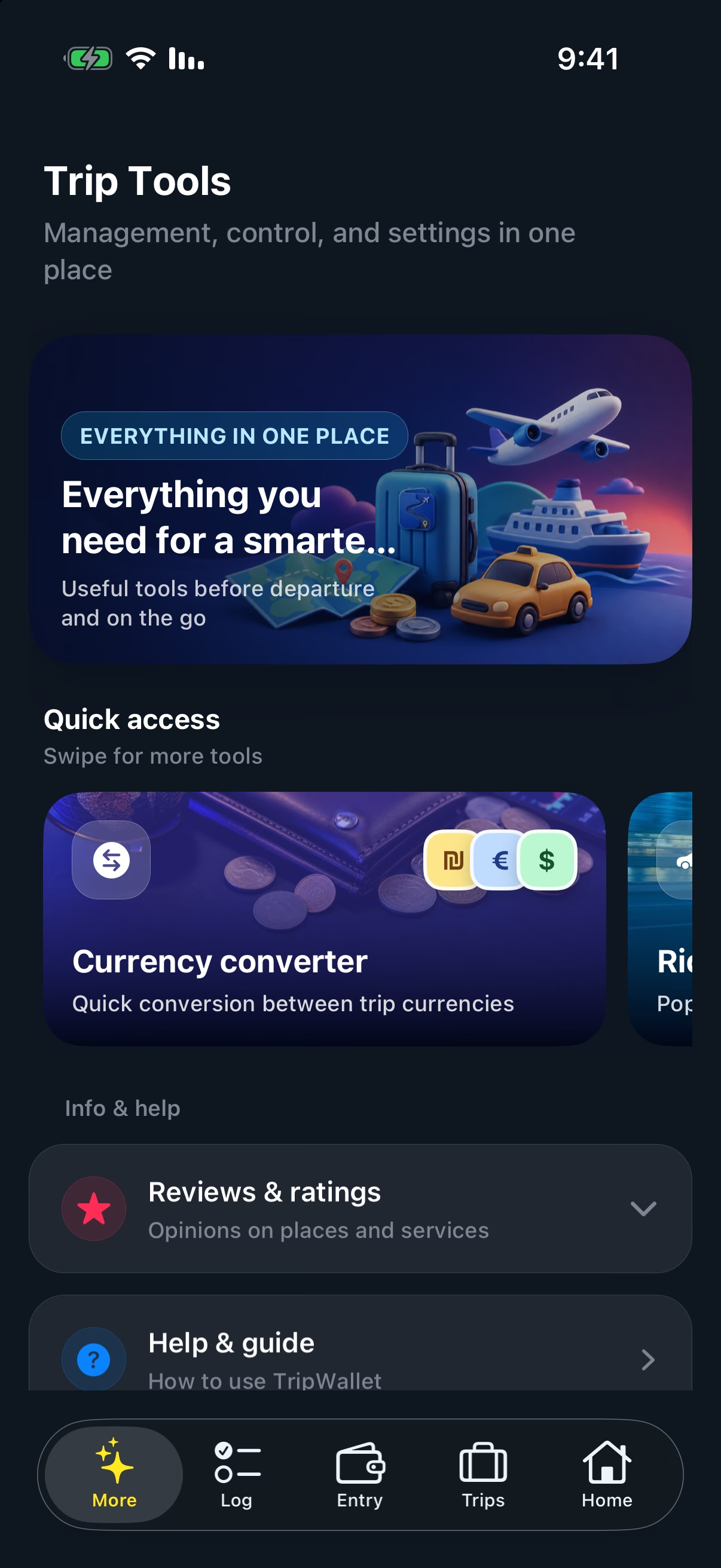
Manage multiple trips and switch between them easily. Each has its own itinerary, documents, budget and expenses. Plan your next adventure and revisit past routes and summaries.
Your next adventure
Start for free with Traveler. Add Pro's advanced tools when you need a little more.
Everything you need to begin

For the full picture

Document allowances count files and images stored with a trip. Links, notes and protected personal documents do not count. The price and subscription terms appear in the app before purchase.
| Feature | Traveler | Pro |
|---|---|---|
| Trip planning & booking imports | ||
| Budgets & expense tracking | ||
| Shared trips | ||
| Flight alerts | · | |
| Trip calendar subscription | · | |
| Excel report export | · | |
| Documents per trip | 3 | 30 |
| Receipt scans per trip | 10 | Unlimited |
| Booking email imports | Unlimited | Unlimited |
Processing is limited to content you choose to forward or upload, without scanning your inbox. Detail extraction may use text recognition and AI. Your documents support app features and are not used for advertising. Trip documents may be stored in the cloud; protected personal documents stay on your device.
You can delete your account in the app. Under the Privacy Policy, associated personal data is removed within 30 days, subject to limited retention for legal, security or dispute purposes.
Yes. Plan your trip and simply log expenses. Budgeting is optional, not a requirement for using the app.
Forward your booking email or share a file. TripWallet extracts the details for you to review. Once you confirm, the activity is added to your trip.
Yes. Start planning before all your dates are settled, and manage expenses or a budget along the way, including cash and multiple currencies.
Yes. Share a trip, add participants and manage shared expenses. You can also add someone without the app for expense recording and splitting.
Your trips stay in your trip library, with the plans, activities and expenses you recorded. Revisit them while planning your next journey.
The App Store download is not available yet. TripWallet is designed for iPhone. An Android version is planned, with no launch date announced at this stage.
From the first idea to the day you get home. Your trip, in one place.
Start with Traveler, for free · Android coming soon